Skip to features
Click TraceAdd to Chrome
Developer tools · Chrome

Inspect, measure and trace any element.

Click Trace shows the box model, measures with a snapping pixel ruler, checks spacing and contrast, and lays your design mockup over the live page, without opening DevTools. It runs only where you open it and sends nothing anywhere.

  • 9 tools
  • One-key shortcuts
  • Free, no account
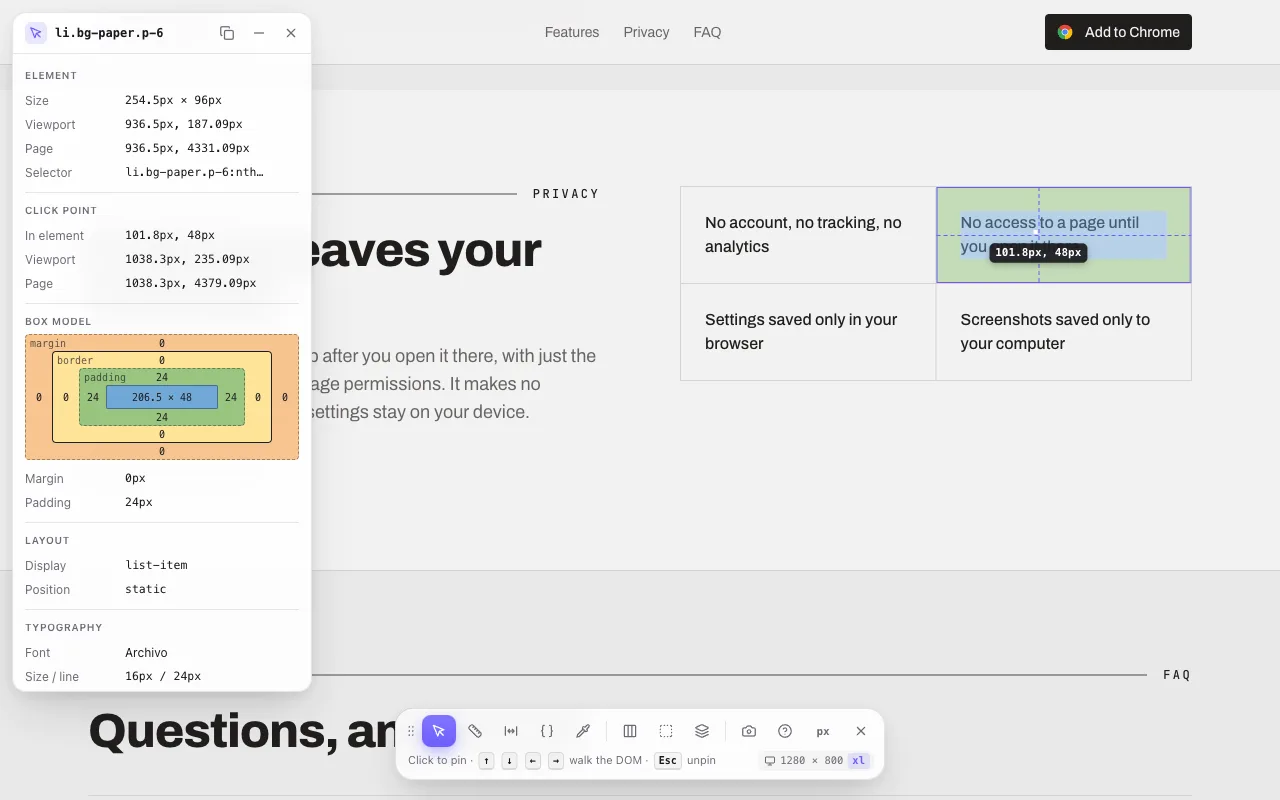
Click Trace inspecting a card: its padding and content box, the click point, and the inspector panel with the box model
Inspect

The box model, at a glance.

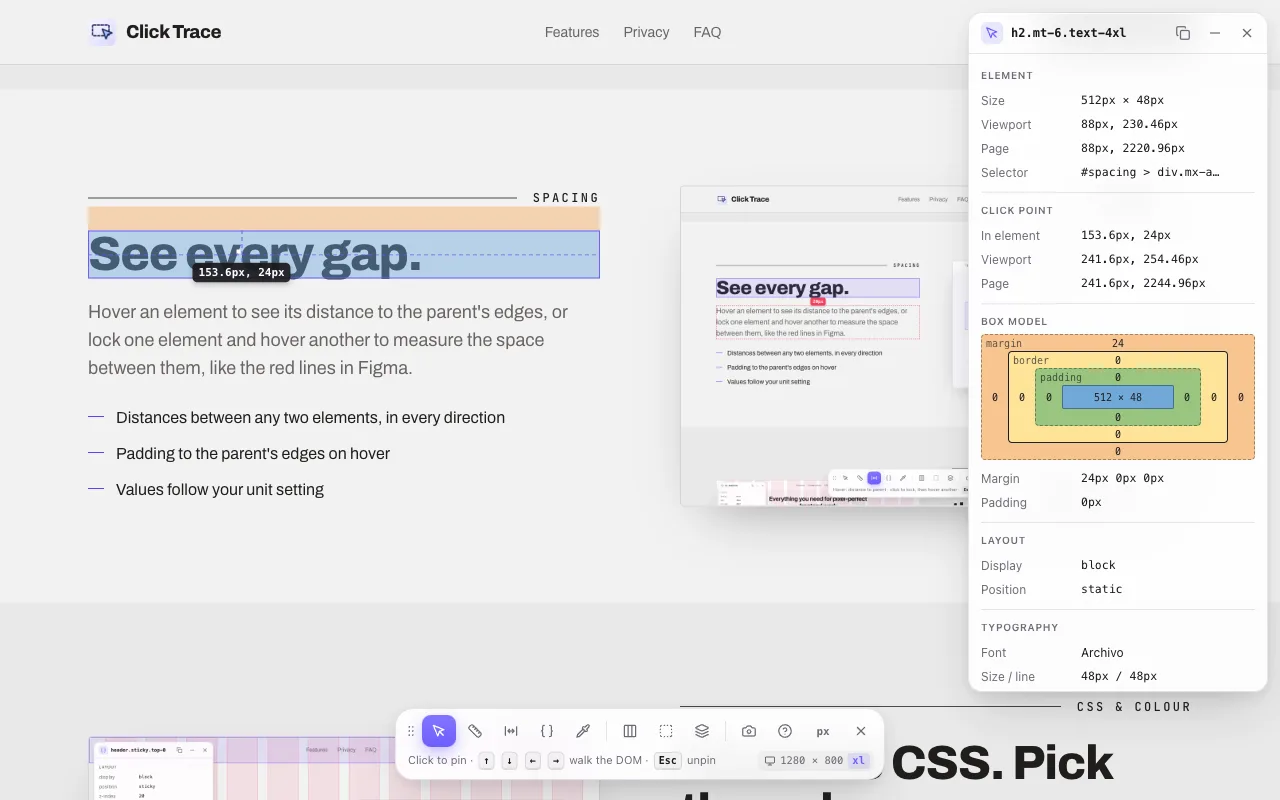
Hover any element to see its margin, border, padding and content. Click to pin it and read where you clicked, relative to the element, any parent, the viewport or the page.

  • Size, position, selector and a breadcrumb of parents; walk the DOM with the arrow keys
  • Layout facts: display, flex and grid direction, alignment and gap
  • Text contrast ratio with AA / AAA grades, and touch-target size warnings
  • Works inside web components (open shadow roots)
Click Trace's inspector pinned on a heading: its 24 px top margin, click point, box model and typography
Ruler

Measure anything. Snap to everything.

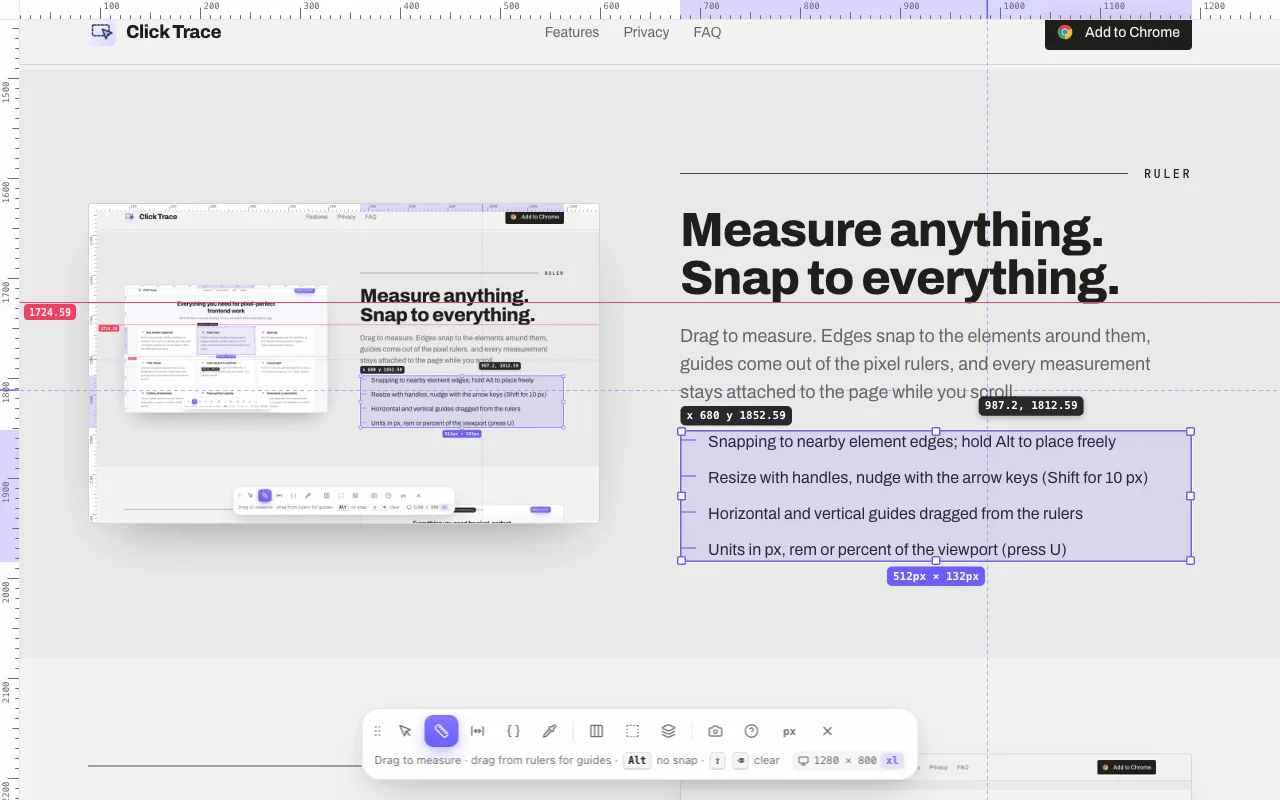
Drag to measure. Edges snap to the elements around them, guides come out of the pixel rulers, and every measurement stays attached to the page while you scroll.

  • Snapping to nearby element edges; hold Alt to place freely
  • Resize with handles, nudge with the arrow keys (Shift for 10 px)
  • Horizontal and vertical guides dragged from the rulers
  • Units in px, rem or percent of the viewport (press U)
Click Trace's ruler measuring a list at 512 × 132 pixels, with pixel rulers along the page edges and a guide
Spacing

See every gap.

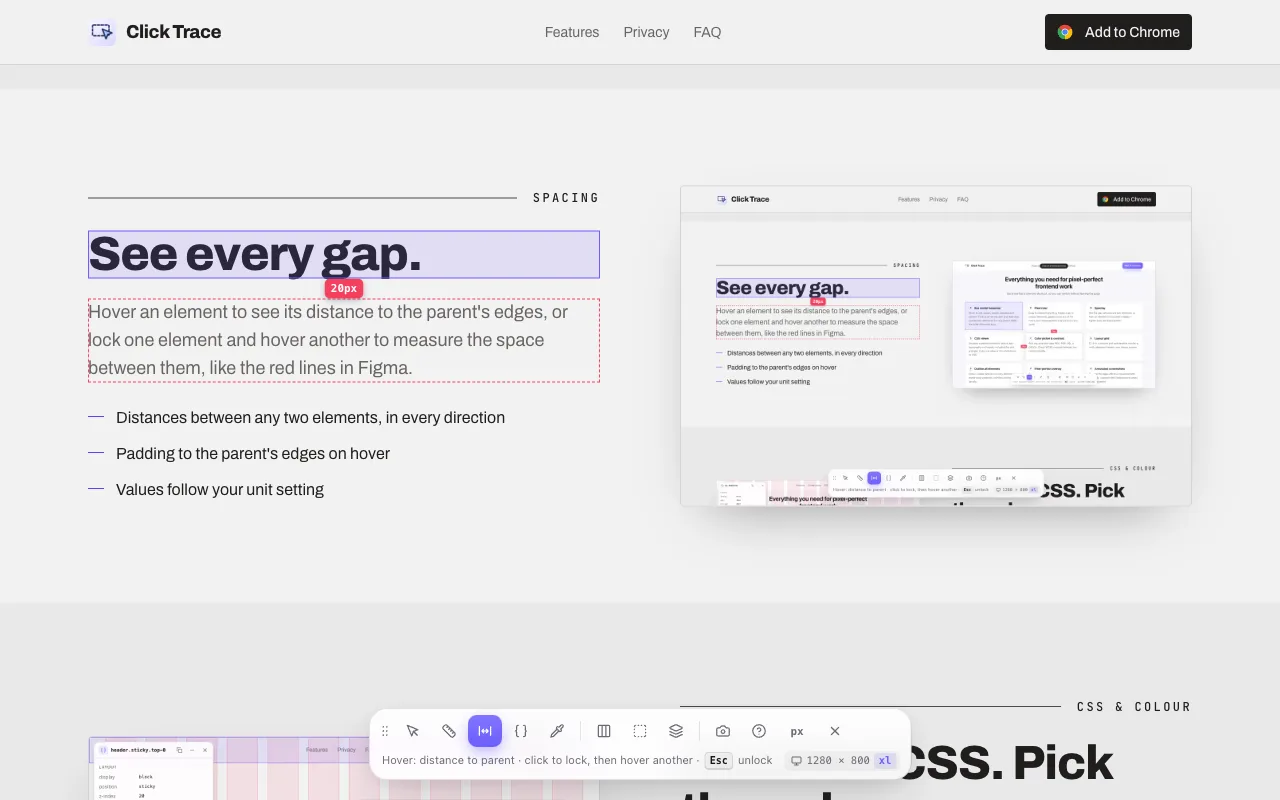
Hover an element to see its distance to the parent's edges, or lock one element and hover another to measure the space between them, like the red lines in Figma.

  • Distances between any two elements, in every direction
  • Padding to the parent's edges on hover
  • Values follow your unit setting
Click Trace's spacing tool showing the 20 pixel gap between a heading and its paragraph
CSS & colour

Read the CSS. Pick the colour.

Click an element for its computed styles, grouped into layout, box, typography and visuals. Copy one value or the whole block as CSS, and pick any colour on the page.

  • Computed CSS including flex and grid gap, copied with one click
  • Eyedropper with HEX, RGB, HSL and OKLCH
  • WCAG contrast between your last two picks
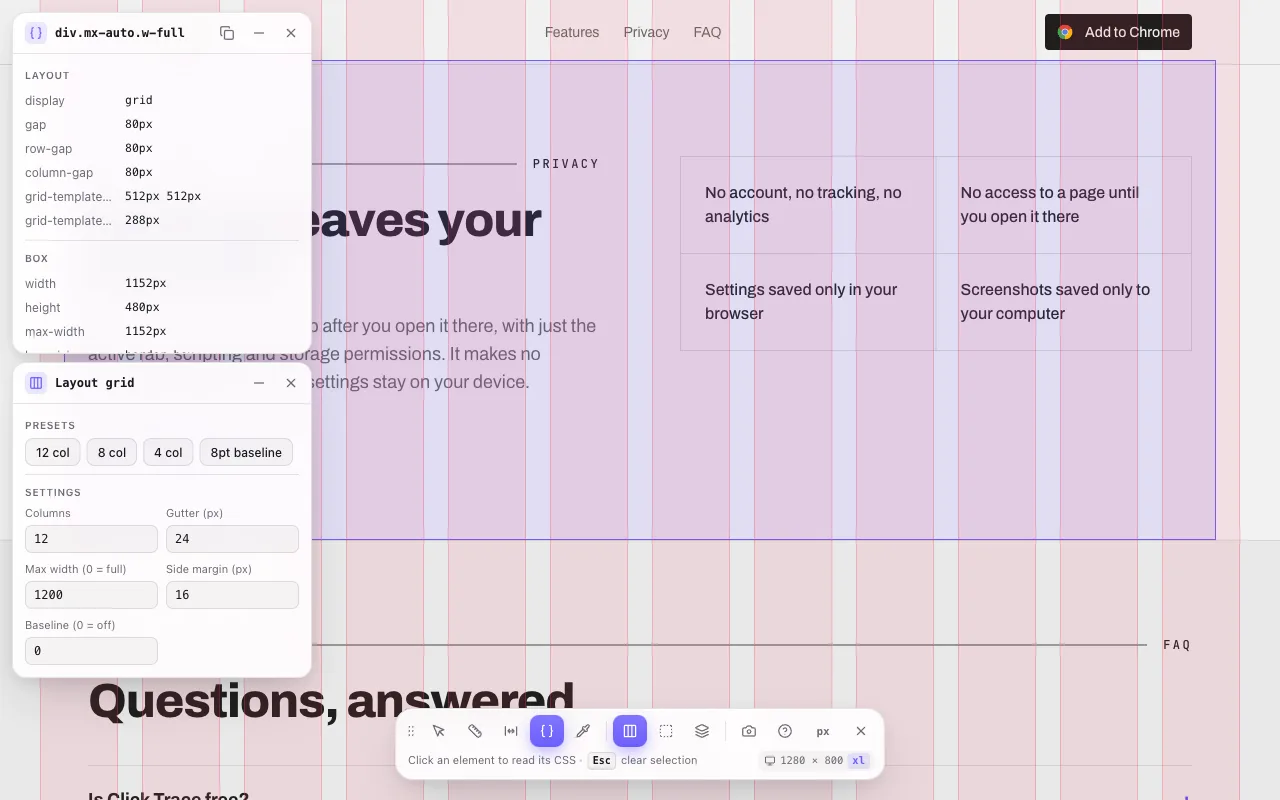
  • Column and baseline layout grids: 12, 8 or 4 columns
Click Trace's CSS panel listing a section's computed grid styles, over a 12-column layout grid
Outline

X-ray the layout.

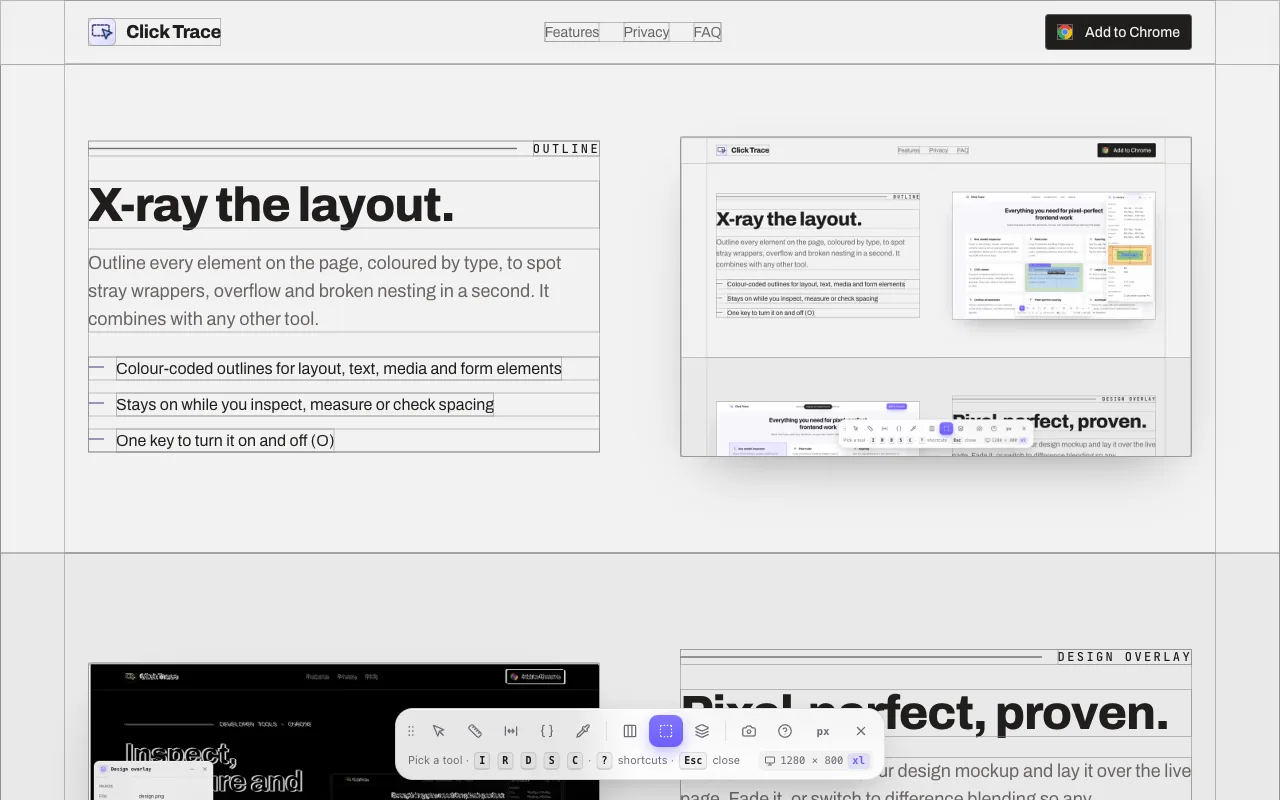
Outline every element on the page, coloured by type, to spot stray wrappers, overflow and broken nesting in a second. It combines with any other tool.

  • Colour-coded outlines for layout, text, media and form elements
  • Stays on while you inspect, measure or check spacing
  • One key to turn it on and off (O)
A page with every element outlined by Click Trace in colour-coded boxes
Design overlay

Pixel-perfect, proven.

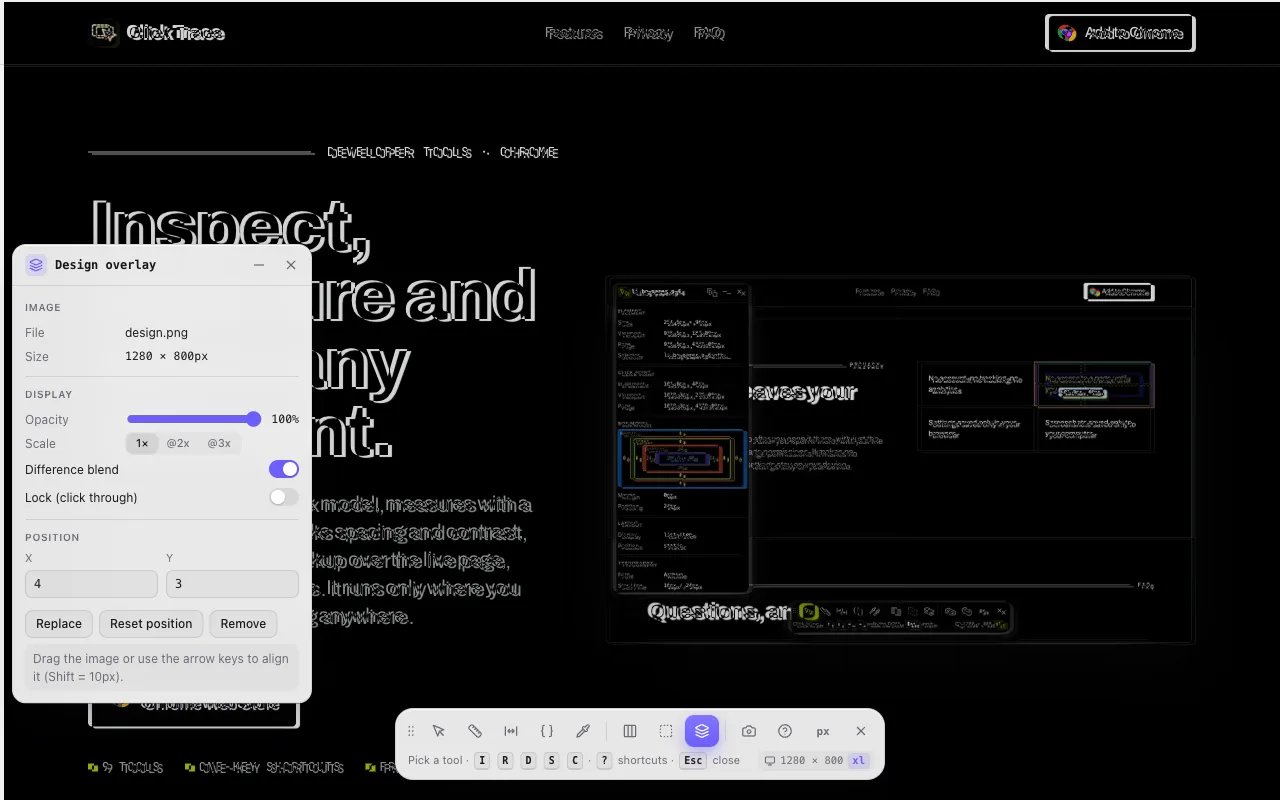
Drop, paste or choose your design mockup and lay it over the live page. Fade it, or switch to difference blending so any misalignment shows up bright.

  • Opacity and difference blending
  • @1x, @2x and @3x exports scale to the page
  • Drag or nudge into place, then lock it
  • Annotated screenshots (K), copied and saved in one press
A design mockup overlaid on the page with Click Trace's overlay panel, set to difference blending
Privacy

Nothing leaves your browser.

Click Trace runs only on a tab after you open it there, with just the activeTab, scripting and storage permissions. It makes no network requests, and your settings stay on your device.

Read the privacy policy
  • No account, no tracking, no analytics
  • No access to a page until you open it there
  • Settings saved only in your browser
  • Screenshots saved only to your computer
FAQ

Questions, answered.

Is Click Trace free?

Yes. Every tool in Click Trace is free, with no account and no ads.

Which browsers does it work in?

Google Chrome 116 or newer, and other Chromium browsers that install from the Chrome Web Store, such as Microsoft Edge, Brave and Arc.

How do I open it?

Click the Click Trace icon in the toolbar and pick a tool, or press Alt+Shift+I to start inspecting and Alt+Shift+R for the ruler. On the page, each tool has a one-key shortcut; press ? to see them all and Esc to step back.

Does Click Trace collect my data?

No. It makes no network requests and collects no data. Settings are stored in your browser, screenshots are saved to your computer, and design overlay images stay in memory on the page.

Can I measure in rem or percent?

Yes. Press U on the page, or change the unit in the popup, to switch every measurement between px, rem and percent of the viewport.

Does it work over modal dialogs?

Yes. The overlay renders in the browser's top layer, so it stays visible and usable above modal dialogs, popovers and high z-index elements, and page CSS can't restyle it.

Why doesn't it run on some pages?

Chrome doesn't let extensions run on its own pages (such as chrome:// pages and the Chrome Web Store). Click Trace works on every other website, including localhost.

Inspect, measure and trace any element.

Available in the Chrome Web Store